Enhance Your macOS Experience with boringBar
AI Summary
boringBar is a dynamic taskbar-style dock replacement for macOS, designed to streamline your workspace by organizing windows by desktop. It offers instant previews, one-click desktop switching, and the ability to pin apps for easy access. With features like a searchable app launcher, scroll-to-switch desktops, and full window titles on chips, boringBar enhances productivity and provides a cleaner workspace by hiding the traditional Dock.
## Key Features
- **Current Desktop Only**: Focus on the active desktop by displaying only its windows, minimizing distractions.
- **Desktop Switcher**: Quickly navigate between desktops with a single click, and view the number of open windows on each.
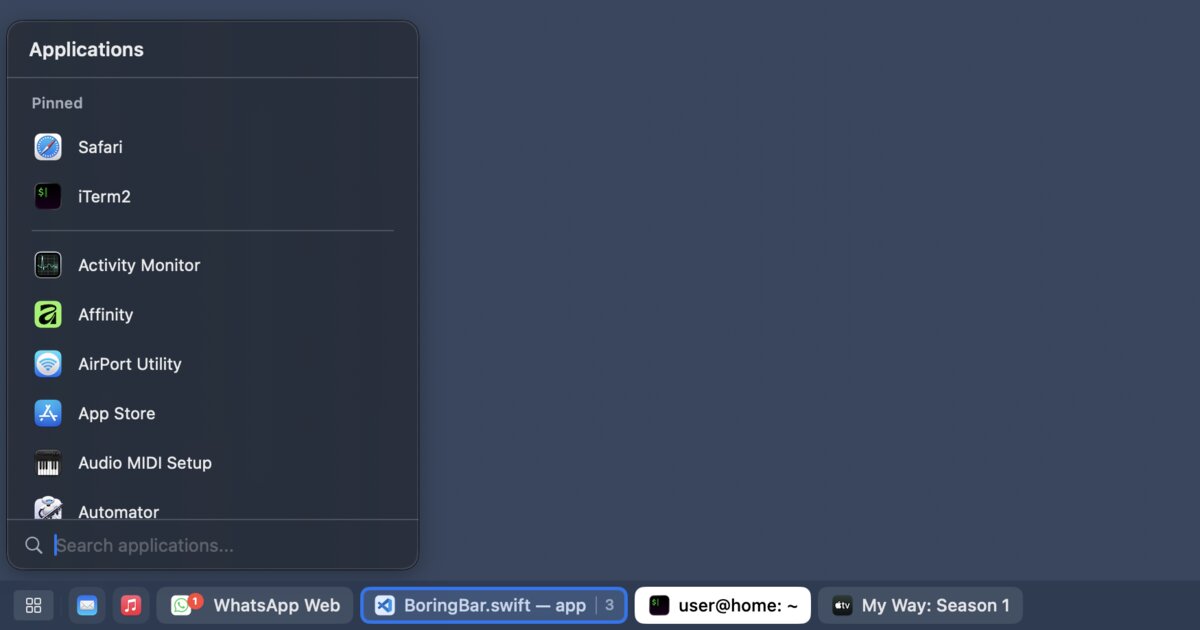
- **App Launcher**: Launch apps swiftly from a searchable list using a global shortcut.
- **Preview Windows**: Hover over chips to preview windows, aiding in faster selection.
- **Notification Badges and Attention Pulse**: Stay informed with unread badges on chips and notice when apps require attention through subtle pulses.
## Customization Options
boringBar allows users to adjust the bar size, group windows by app, toggle chip titles, and choose between showing full window titles or just app names. It supports multiple displays and offers a quick shortcut to show the desktop. Users can pin apps to the bar or app menu for quick access.
## Licensing and Requirements
boringBar requires macOS 14 (Sonoma) or later and specific permissions for full functionality. It offers a 14-day free trial, after which a personal or business license is needed. Personal licenses start at $7.99/year, while business licenses offer volume pricing. Each license is device-specific, and additional seats must be purchased separately. Activation involves receiving an email key for personal licenses or a one-time code for business users.
Key Concepts
The process of arranging and managing windows and applications across different virtual desktops to enhance productivity and focus.
The ability to modify the appearance and functionality of a software interface to suit individual preferences and enhance user experience.
Category
TechnologyOriginal source
https://boringbar.app/More on Discover
Summarized by Mente
Save any article, video, or tweet. AI summarizes it, finds connections, and creates your to-do list.
Start free, no credit card