Mastering URL Redirects with Kagi Search
AI Summary
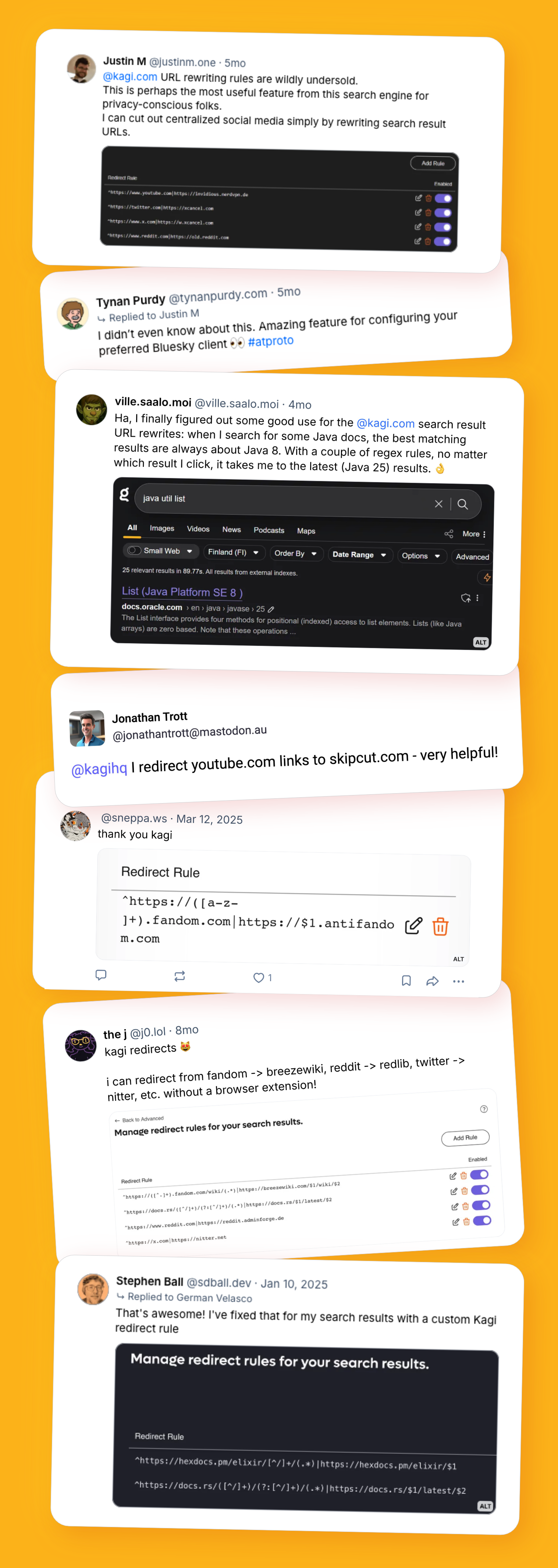
With Kagi's URL Redirects, you gain the power to customize your web browsing experience by rewriting search result URLs before clicking them. This feature allows you to create find-and-replace rules, ensuring you land on your preferred version of a site. Whether you want to switch to the classic Reddit layout, redirect AMP pages to their original URLs, or pin documentation to the latest version, Kagi makes it seamless. Simply set up rules using a straightforward format, and Kagi will handle the rest, displaying a small icon to indicate active redirects.
Practical applications abound: swap domains to access alternative frontends, adjust specific path segments for updated documentation, or bypass Google's AMP cache for direct access to original content. The community has shared numerous rules, such as redirecting Reddit to its old interface or using privacy-friendly frontends for Twitter and Imgur.
For advanced users, regex support allows for sophisticated URL matching and manipulation, ensuring you always access the latest resources. A notable example is redirecting Knot DNS documentation links to the most current version, thanks to regex capturing and substitution.
Kagi's URL Redirects not only enhance browsing efficiency but also respect user preferences and privacy. The community is encouraged to share their innovative redirect rules, contributing to a collective knowledge base that enriches everyone's online experience.
Key Concepts
URL Redirects are rules that automatically change the destination of a URL to another specified URL. They are commonly used to guide users to updated or preferred versions of web pages.
Regex, short for regular expressions, is a sequence of characters that define a search pattern. It is often used for string matching and manipulation in programming and data processing.
Category
TechnologyOriginal source
https://blog.kagi.com/tips/redirectsMore on Discover
Summarized by Mente
Save any article, video, or tweet. AI summarizes it, finds connections, and creates your to-do list.
Start free, no credit card