Running Google Gemma 4 Locally: A Comprehensive Guide
By George Liu
AI Summary
Running AI models locally offers significant advantages over cloud-based solutions, especially when considering factors like cost, privacy, and latency. Google's Gemma 4, with its mixture-of-experts (MoE) architecture, is particularly suited for local deployment. This model, with 26 billion parameters, activates only 4 billion per forward pass, making it efficient for hardware that can't handle dense models of similar size. On a MacBook Pro M4 Pro with 48 GB of memory, it generates at 51 tokens per second, albeit with some slowdowns when used with Claude Code.
Google released Gemma 4 as a family of models, each targeting different hardware capabilities. The 'E' models support audio input and are optimized for on-device deployment. The 26B-A4B variant, with its MoE architecture, delivers performance comparable to a 10B dense model but with the efficiency of a 4B model. It scores impressively on benchmarks, close to the dense 31B model, but runs significantly faster.
The LM Studio API facilitates running these models locally. Version 0.4.0 introduced llmster, a core inference engine that allows for command-line operations without a GUI. This setup supports parallel request processing, a stateful REST API, and local Model Context Protocol integration. Installing and running the model is straightforward, with commands provided for Linux, Mac, and Windows.
The 26B-A4B model occupies 17.99 GB of memory and supports a 48K context window, making it ideal for local inference on a 48 GB Mac. It offers features like vision support and native function calling, all at a competitive speed. The LM Studio also supports speculative decoding and flash attention, though the latter is more beneficial for dense models.
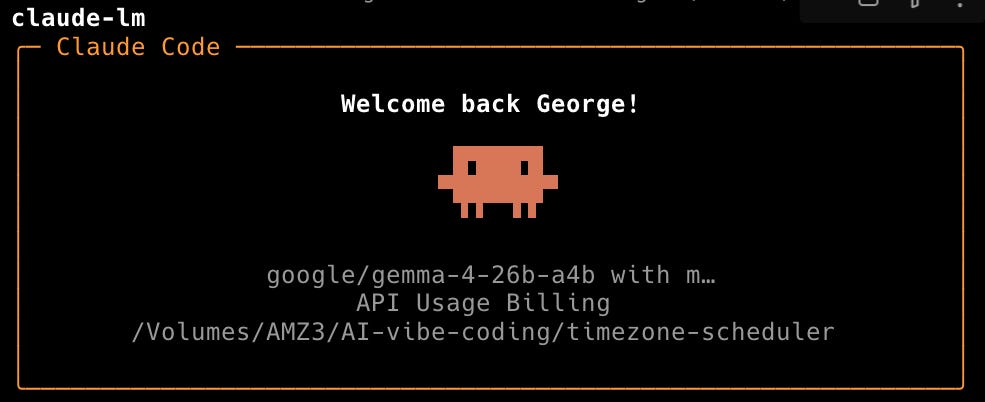
Running a local server with LM Studio exposes an OpenAI-compatible API, allowing integration with various tools. The server supports JIT model loading, auto-unloading after inactivity, and can be accessed by other devices on the network. The Anthropic-compatible endpoint enables using Claude Code with local models, providing offline, zero-cost coding assistance.
The unified memory architecture of Apple Silicon is advantageous for local LLM work, allowing CPU and GPU to share memory without data copying. Despite high memory usage, the system remains responsive, highlighting the efficiency of running a 26B model locally.
For those interested in setting up this environment, the process involves installing LM Studio, starting the daemon, downloading the model, and configuring Claude Code for local use. This setup is particularly beneficial for privacy-sensitive tasks and exploratory sessions, offering a cost-effective alternative to cloud-based AI APIs.
Key Concepts
MoE is a neural network architecture where only a subset of the model's parameters are activated for each input, allowing for efficient computation and resource usage.
Local inference refers to running machine learning models on personal hardware rather than relying on cloud-based services. This approach can reduce costs, improve privacy, and decrease latency.
Category
TechnologyMore on Discover
Summarized by Mente
Save any article, video, or tweet. AI summarizes it, finds connections, and creates your to-do list.
Start free, no credit card