Secure Your SSH Keys with TPM
AI Summary
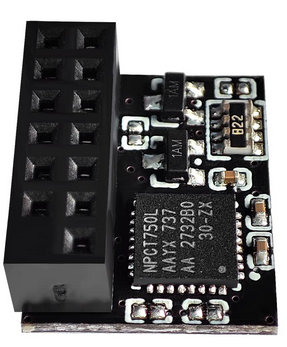
For years, I've securely stored my SSH private keys in hardware tokens like Nitrokey and Yubikey, ensuring they never leave the device. This method is far more secure than storing keys on your filesystem. Most modern computers come with a Trusted Platform Module (TPM), which can also be used for this purpose. Although TPMs are slightly less secure than portable hardware security modules (HSMs) because they are device-bound and don't require physical presence, they still offer a significant security upgrade over traditional file storage.
To set up your TPM for SSH key storage, you'll need to install specific software packages like tpm2-tools and libtpm2-pkcs11. After installation, create a persistent PKCS#11 store to manage your keys. The private key isn't stored directly in the TPM but is encrypted and saved in a SQLite file, allowing the TPM to handle multiple keys despite its limited storage.
When importing an SSH key into the TPM, it's crucial to generate the key on a secure, offline machine and back it up. This approach mitigates risks like those posed by the ROCA vulnerability. Once your key is imported, you can use it for SSH access, entering a user PIN each time you connect. For convenience, you can add the key to your SSH agent to only enter the PIN once per session.
This guide also covers troubleshooting steps, such as recompiling tpm2-tools if you encounter errors, and provides commands to verify your setup. By following these steps, you can enhance the security of your SSH keys using the TPM module on your machine.
Key Concepts
A TPM is a hardware-based security module that provides cryptographic functions and secure storage for sensitive data. It is commonly used to verify the integrity of a system's boot process and can also store encryption keys.
An HSM is a physical device that safeguards and manages digital keys for strong authentication and provides cryptoprocessing. It is designed to be tamper-evident and resistant to physical attacks.
Category
SecurityMore on Discover
Summarized by Mente
Save any article, video, or tweet. AI summarizes it, finds connections, and creates your to-do list.
Start free, no credit card