Building a Versatile Terminal Pager with Go
AI Summary
I have a passion for creating terminal applications, such as kl for Kubernetes logs and wander for Nomad. A key component in these applications is the ability to interact with large blocks of text, which led me to develop a reusable viewport component in Go. This component is now the backbone of lore, my daily terminal pager.
## Introduction to Terminal Paging
The terminal is not just for running commands; it's a powerful tool for viewing and navigating text. With its grid-like structure, defined by rows and columns, it supports the display of text files, logs, and more. Text styling in terminals is achieved through ANSI escape codes, allowing for various visual effects, such as the grey checkerboard pattern in a chessboard text file.
Developers often deal with verbose outputs from scripts, application logs, and database query results. When text output exceeds the terminal's view, pagers come into play, allowing for interactive navigation. Programs like git and man use the PAGER environment variable to determine which pager to use, defaulting to less if none is specified.
## Terminal Applications and TUIs
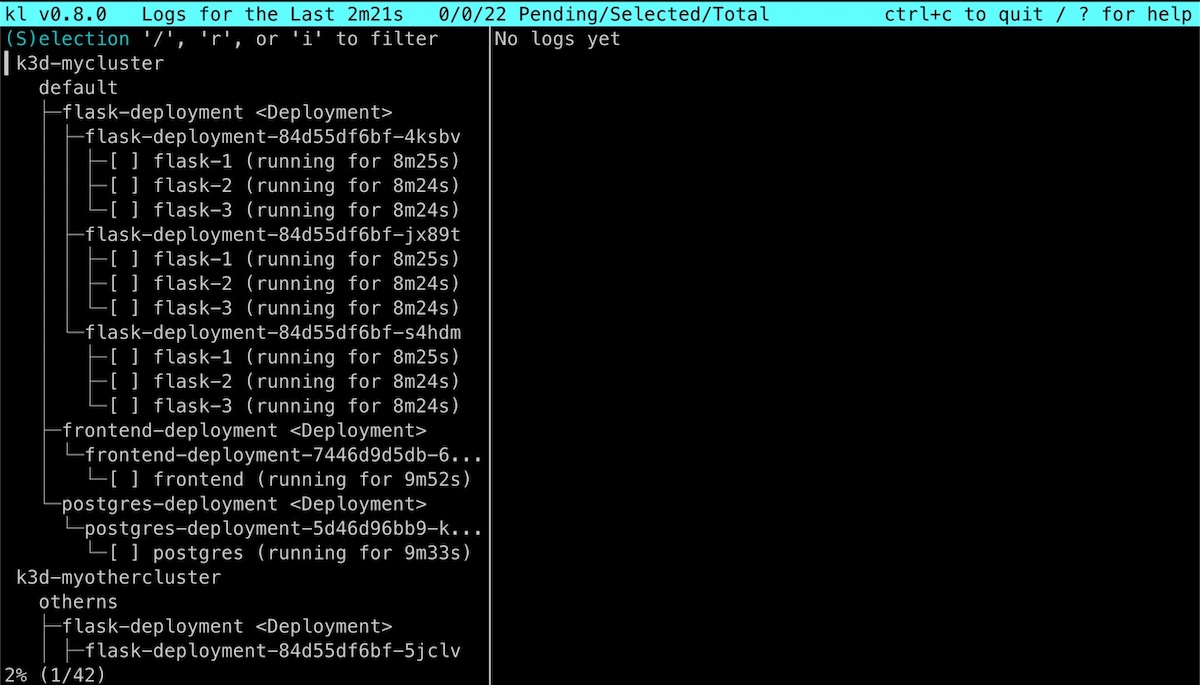
Terminal User Interfaces (TUIs) are akin to desktop applications but operate within the terminal. They utilize the alt screen to display components like titles and sidebars, with text viewports being a crucial element. In kl, a TUI I developed, users can interact with Kubernetes logs through a selection viewport and a log view, both functioning as mini terminal pagers.
## The Viewport Component
The viewport is a flexible, resizable box for text navigation, supporting features like search, ANSI styling, and Unicode handling. Written in Go, it integrates seamlessly with the Bubble Tea TUI framework. The implementation consists of modules like item, viewport, and filterableviewport, each contributing to the component's functionality.
## Unicode Handling
Handling Unicode in terminals involves understanding code points, graphemes, and byte encoding. Different characters occupy varying terminal cell widths, which is crucial for accurate text display. My viewport component maps string bytes to code points and graphemes, ensuring proper Unicode support.
## Searching and Filtering
The viewport allows for different search modes, such as exact match and regex search, with keyboard shortcuts for agility. Searches are stored in an in-memory buffer, and users can toggle between showing only matches or including surrounding context.
## Item Selection
Some text views require item selection, which the viewport supports by enabling or disabling selection. In kl, selecting a log opens a detailed view, allowing for further interaction. The viewport's generic design accommodates various object types, enhancing its versatility.
## Conclusion
Lore, my terminal pager, leverages the viewport component to provide a streamlined paging experience. While it offers a subset of less's functionality, it aligns with my preferences for text navigation. I continue to refine lore and my other TUIs, drawing inspiration from developments like libghostty. My goal is to enhance the terminal experience, one component at a time.
Key Concepts
Terminal paging refers to the process of interactively navigating through multi-page text outputs in a terminal environment. Pagers are programs that facilitate this navigation, allowing users to scroll, search, and manage large text blocks efficiently.
Terminal User Interfaces are applications that run within a terminal, providing a graphical interface through text-based components. They are similar to desktop applications but operate entirely within the terminal's grid layout.
Category
ProgrammingOriginal source
https://theleo.zone/posts/pager/More on Discover
Summarized by Mente
Save any article, video, or tweet. AI summarizes it, finds connections, and creates your to-do list.
Start free, no credit card